Microinverter
270 × 182 × 34.5 mmFox ESS M1-800-E · 3.4 kg.
One unit in either kit.

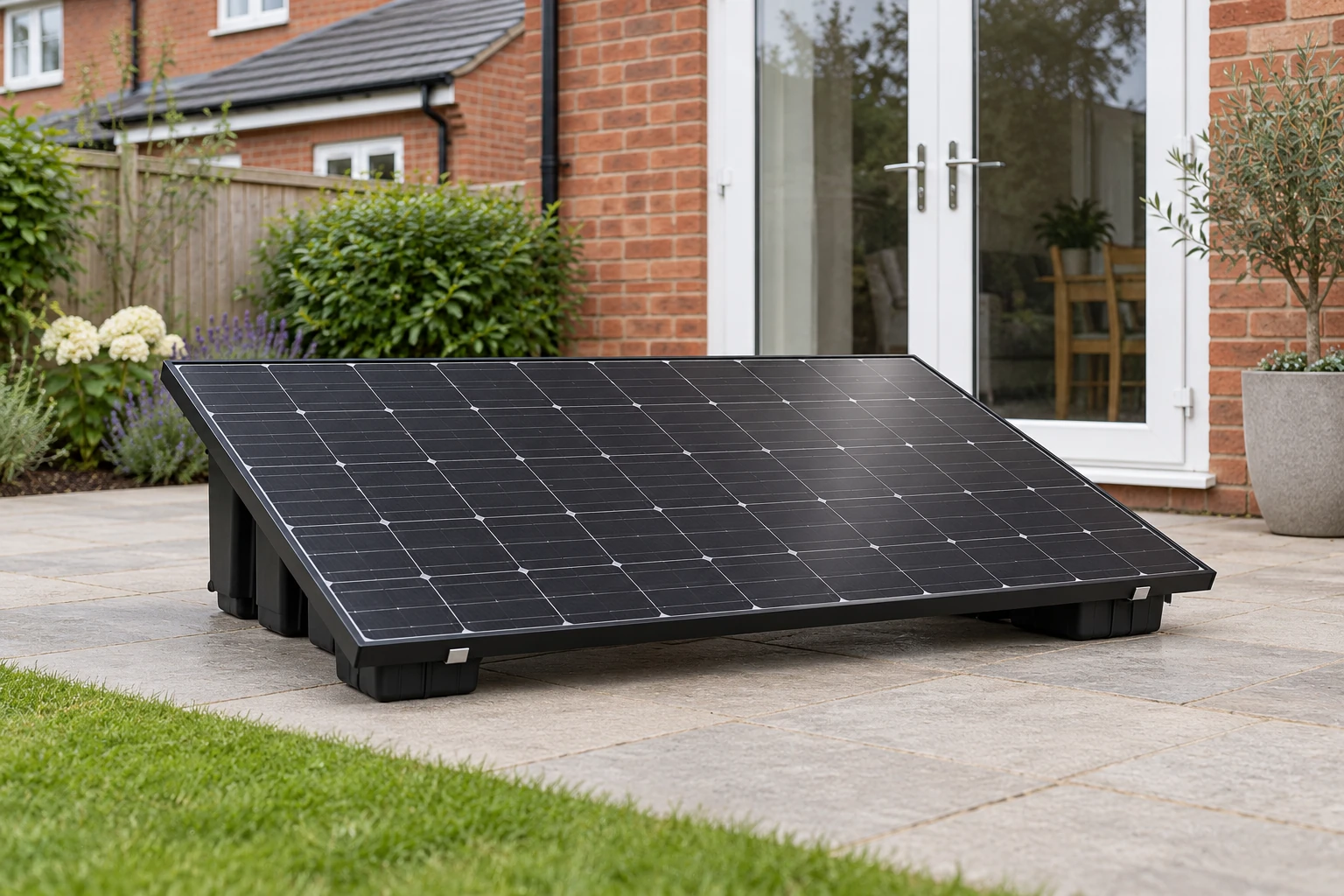
Your plug-in solar setup starts with receiving and checking the kit. Secure the panels, connect the supplied lead and set up FoxCloud 2.0. Keep the AORO manual beside you during setup.
UK kerbside delivery and VAT are included. Allow 3 weeks from order confirmation. We will contact you with shipment details. Arrange safe handling from the delivery point to the installation position.
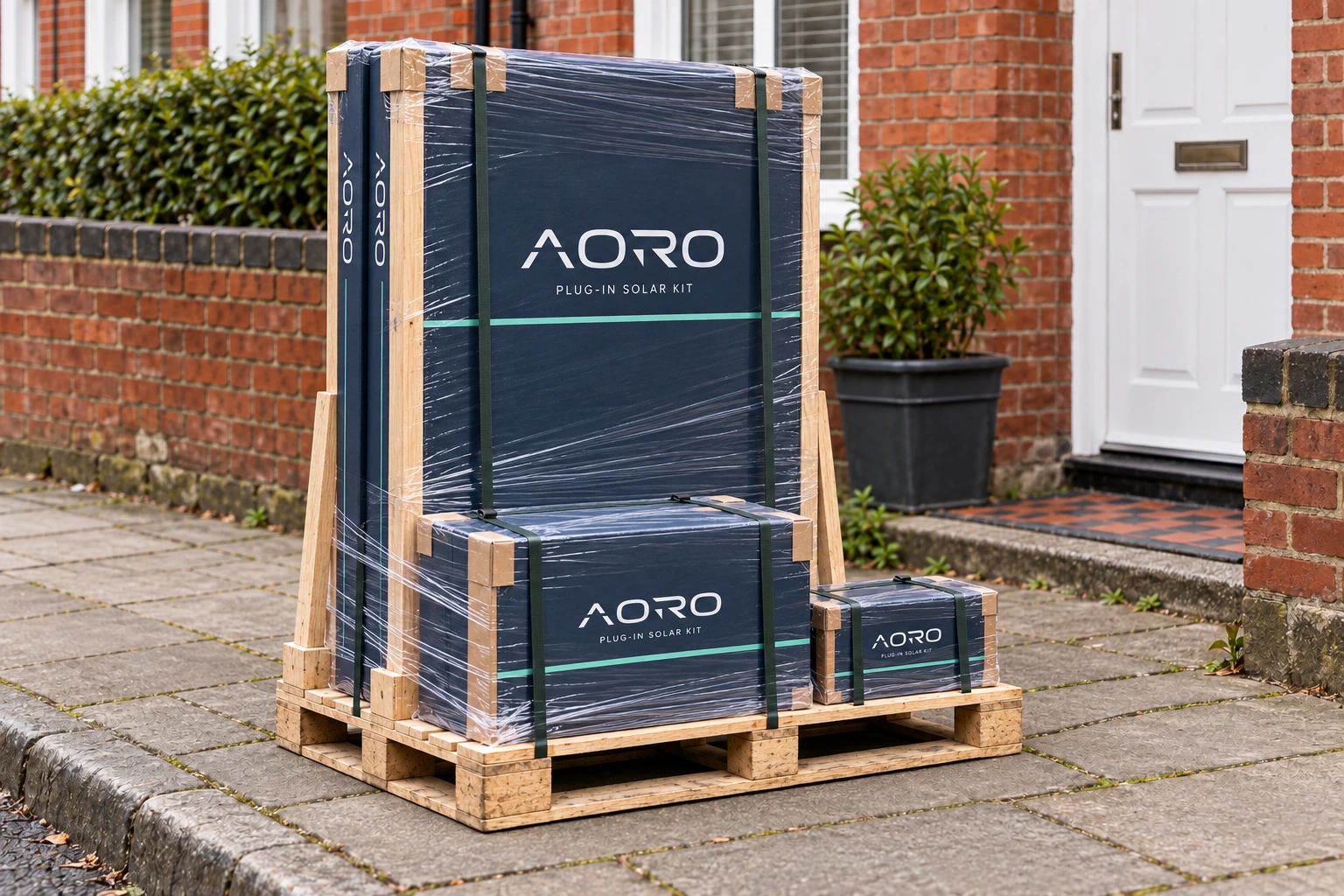
One panel for Single. Two matching panels for Dual. Compare your selected model before planning doorways, corners, stairs and storage.
| Selected panel | Each panel: height × width × depth | Single: panel weight | Dual: combined panel weight |
|---|---|---|---|
| JA Solar460 W · JAM54D41-460/LB | 1762 × 1134 × 30 mm | 22 kg | 44 kg · 2 separate panels |
| AIKO460 W · AIKO-A460-MAH54Mb | 1757 × 1134 × 30 mm | 21.5 kg | 43 kg · 2 separate panels |
| DMEGC500 W · DM500M10RT-B60HBT/HST | 1950 × 1134 × 30 mm | 26.8 kg | 53.6 kg · 2 separate panels |
Fox ESS M1-800-E · 3.4 kg.
One unit in either kit.
Support body: 1017 × 695 × 507 mm. Allow 1054 mm in length when planning the mounting arrangement. Rails and clamps are included.
Six mini rails and frame clamps for Single; twelve for Dual. One special 5 m UK connection lead in either kit.
These are equipment dimensions and weights, not the dimensions or total weight of the packed shipment. Protective cartons, mounting hardware and packaging add size and weight. Keep a clear route and arrange two people to handle panels by their frames. Ground ballast is prepared separately: 200 kg for Single or 300 kg for Dual.
Delivery is kerbside. Arrange assistance to move the shipment from the delivery point; the driver does not carry it upstairs or install the kit.
Measure doorways, turns and stairs using the model dimensions below. Leave room for protective packaging and safe handling. Arrange a dry, secure place for the shipment until assembly.
Dual arrives with two matching panels. Keep each panel protected until it can be moved safely; lift by the frame with assistance, never by its cables or junction box. Component sizes and handling weights are listed below.
Compare the shipment with the packing list and selected mounting option. Keep packaging where practical until inspection is complete.
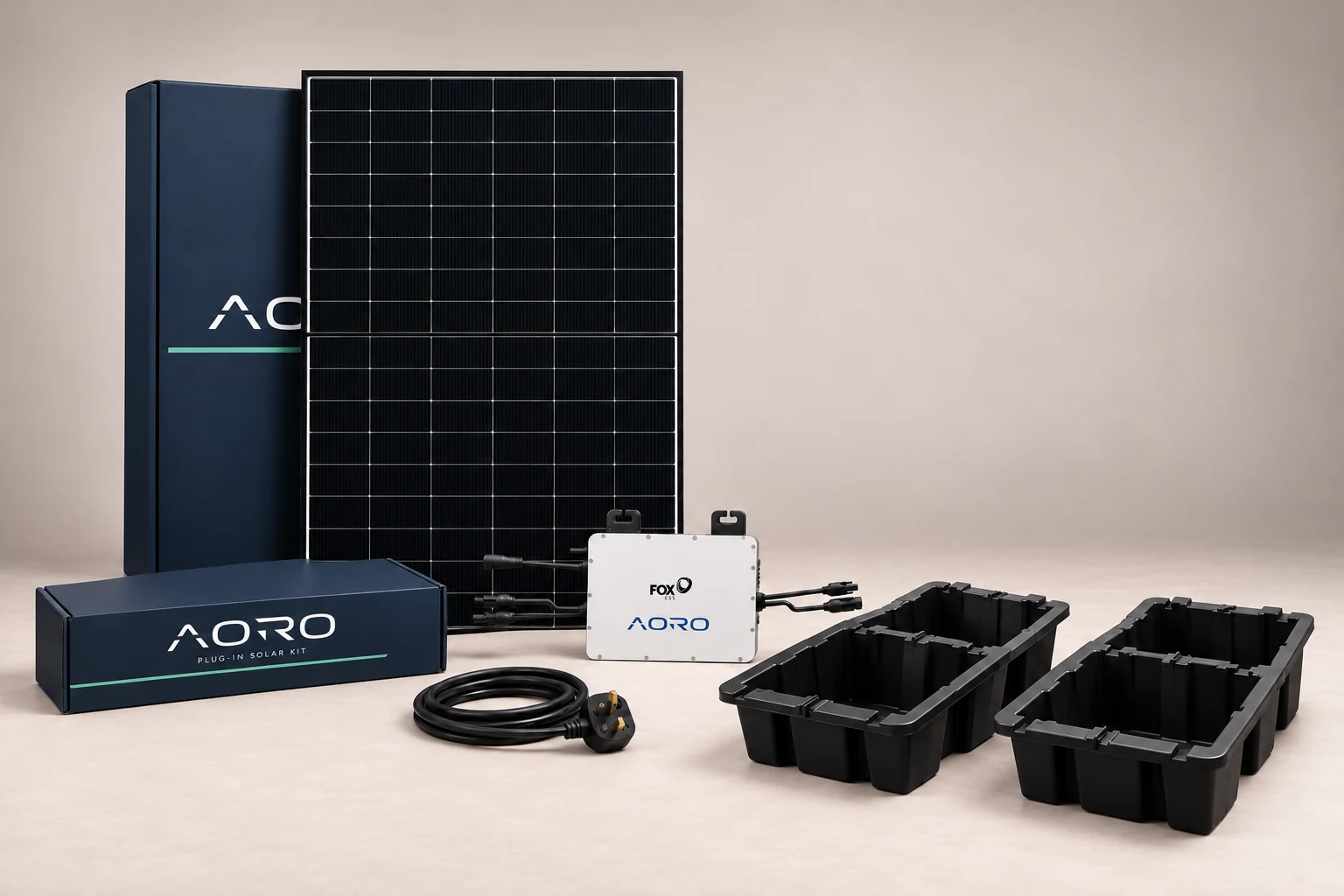
£385 for Single or £585 for Dual includes VAT, UK delivery, the selected complete mounting kit and one special 5 m UK connection lead. Assembly instructions are supplied with your kit.
| Component | Single Panel | Dual Panel |
|---|---|---|
| Solar panels | 1 × selected model | 2 × selected model |
| Fox ESS M1-800-E | 1 microinverter | 1 microinverter · 2 panel inputs |
| UK 3-pin connection lead | 1 × 5 m | 1 × 5 m |
| Ground mount selection | 2 HDPE supports, mounting rails & clamps | 3 HDPE supports, mounting rails & clamps |
| Wall mount selection | 6 mini rails with clamps · 3 top + 3 bottom · wall fixings | 12 mini rails with clamps · 6 per panel · wall fixings |
| Monitoring & instructions | FoxCloud 2.0 access, AORO owner manual and original equipment documents | |
Supports, rails and clamps are included. Prepare a firm, level surface and 100 kg of ballast per support: 200 kg for Single or 300 kg for Dual. Follow the supplied assembly instructions for the selected panels, rail placement and clamp positions.
Mini rails, sliding clamps and wall fixings are included. Prepare assessed masonry, tools and safe access. Six rail and clamp assemblies retain each panel. Check that the supplied fixings suit your wall and follow the mini-rail and clamp instructions; the panel drawing is not a wall drilling template.
The special 5 m UK connection lead and assembly instructions are included. Arrange safe handling, a suitable outdoor socket within the cable route and 2.4 GHz Wi-Fi for monitoring. Ground ballast and tools are separate.
Check the supplied quantities, exact model labels and visible condition. A single-panel kit includes one panel; a dual kit includes two.
Check ground supports or wall rails and clamps, the supplied 5 m UK connection lead and mounting hardware against your delivery list. Ground ballast is separate: 100 kg per support, 200 kg for Single or 300 kg for Dual. Use suitable tools and wall fixings; do not improvise substitute parts.
Keep your order reference and photograph issues where safe. Do not use damaged electrical equipment. Contact support before attempting a repair.
Choose a firm, level ground position or an assessed masonry wall. Keep paths, doors and windows clear, and measure the route to your outdoor socket before moving the panels.
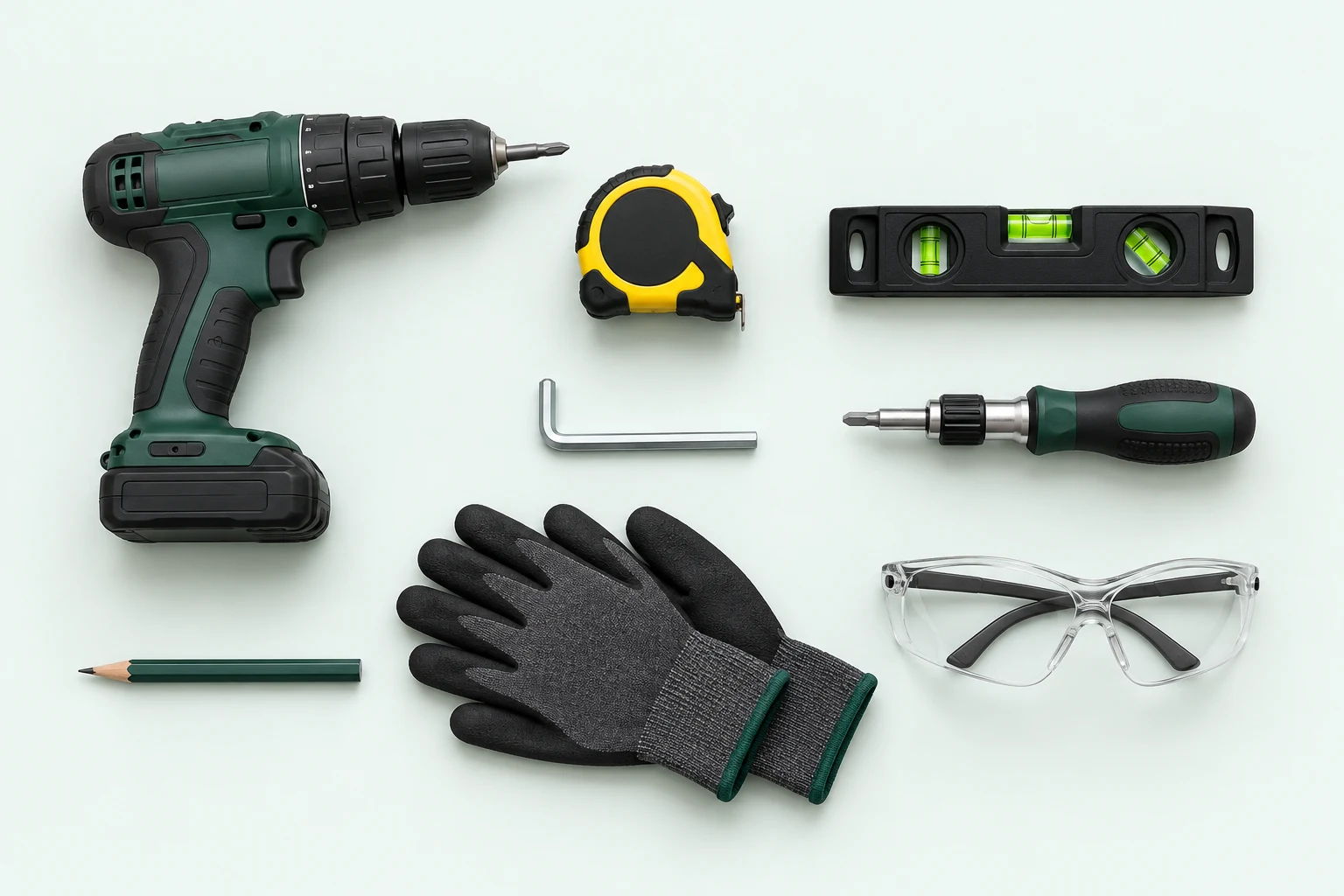
Tools and ballast are separate from the kit hardware. For Ground mount, prepare 100 kg of ballast per support: 200 kg for Single or 300 kg for Dual. Keep the assembly instructions beside you.
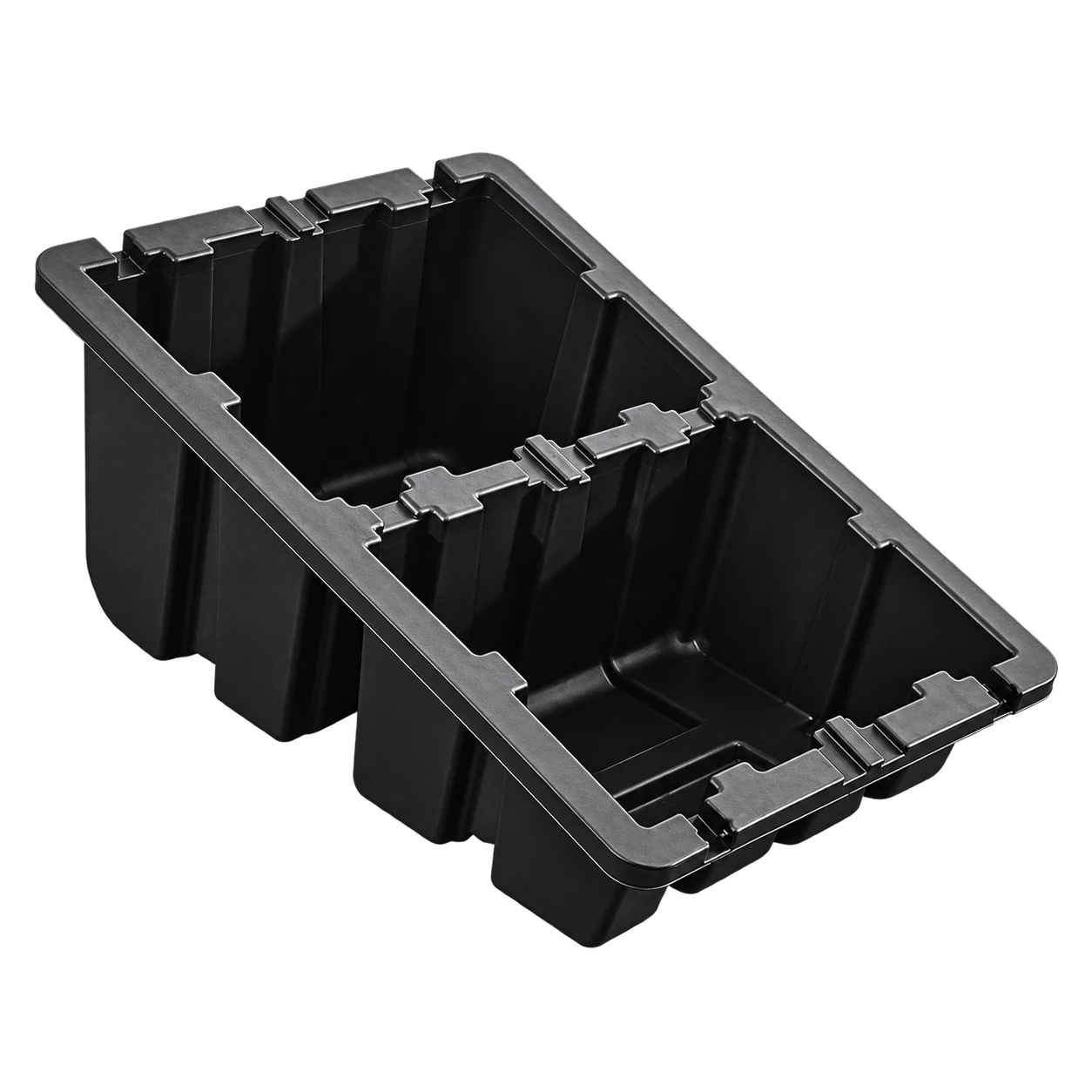
Use two supports for Single or three for Dual, in the landscape arrangement. Choose a firm, level garden or patio surface and keep access routes clear.
Check: Before loading the supports, measure the panel position and the direct route for the 5 m lead.
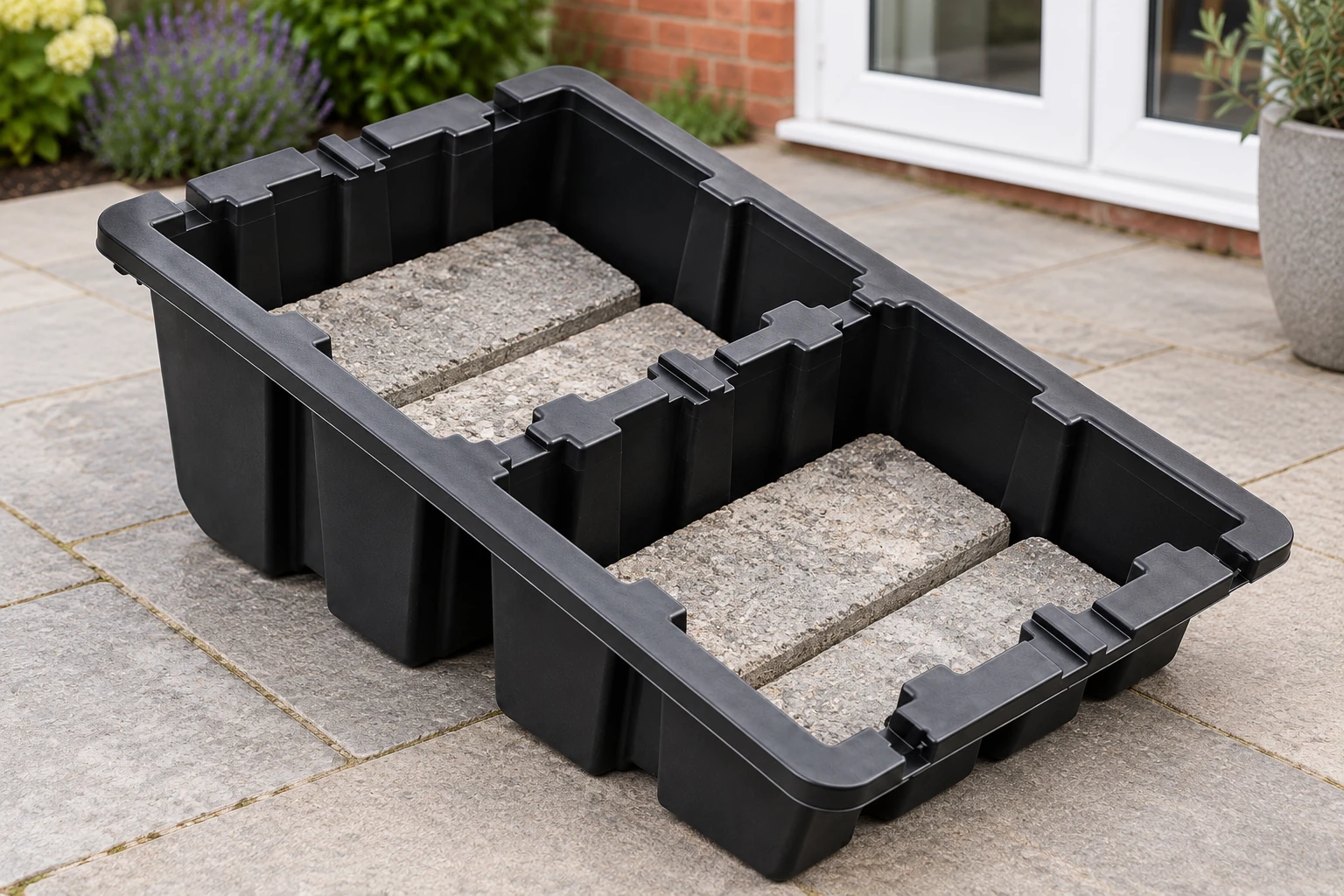
Add 100 kg of ballast inside each support: 200 kg total for Single or 300 kg for Dual. Distribute the load evenly between the compartments and keep drainage, rails and cables clear.
Check: Weigh the ballast. The pictured blocks show placement; their number does not establish the weight.
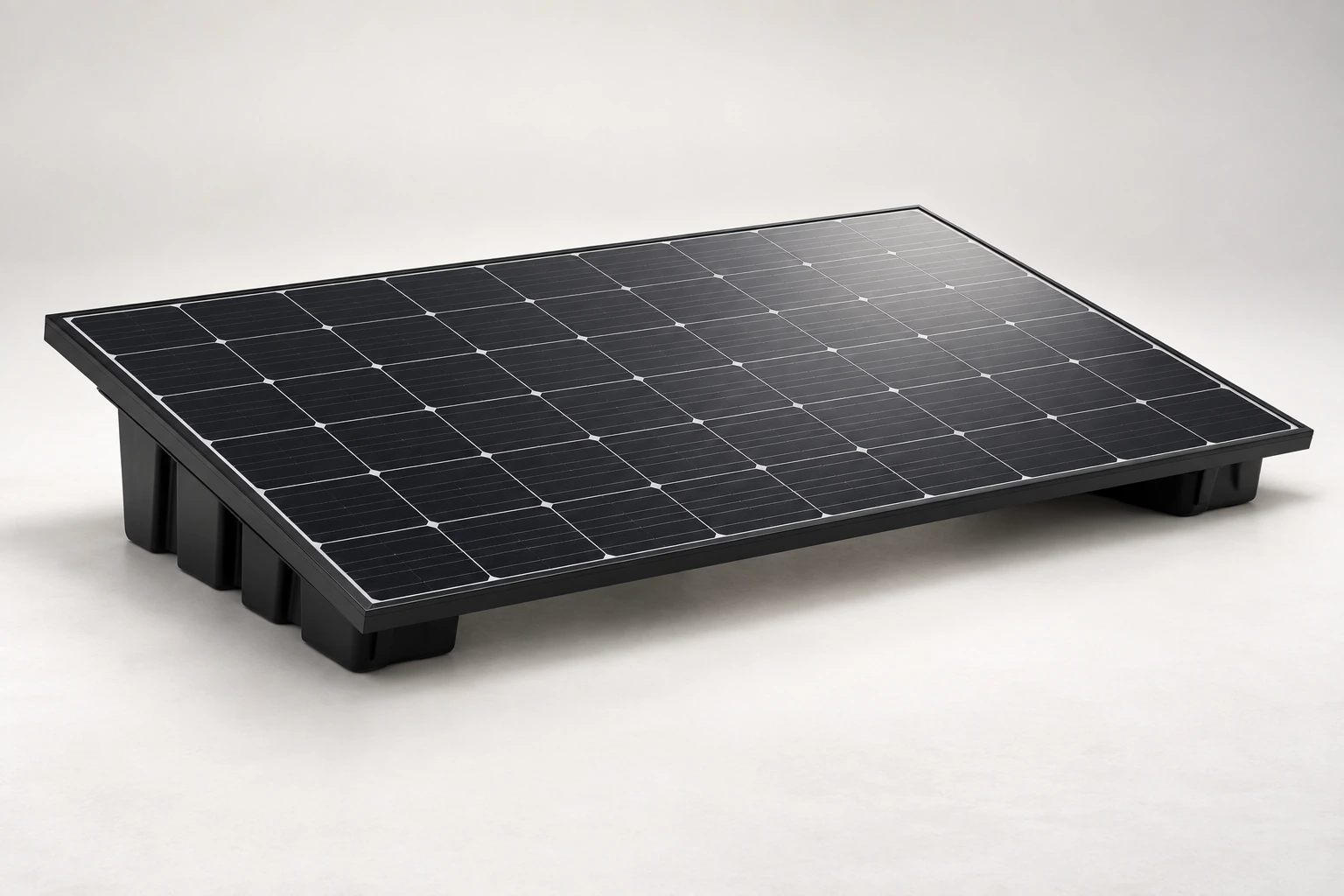
Use the supplied rail and clamp arrangement for your selected panel. With assistance, support the panel by its metal frame and lower it onto the prepared mount.
Check: Never stand on the panel or lift it by the cables, junction box or glass.
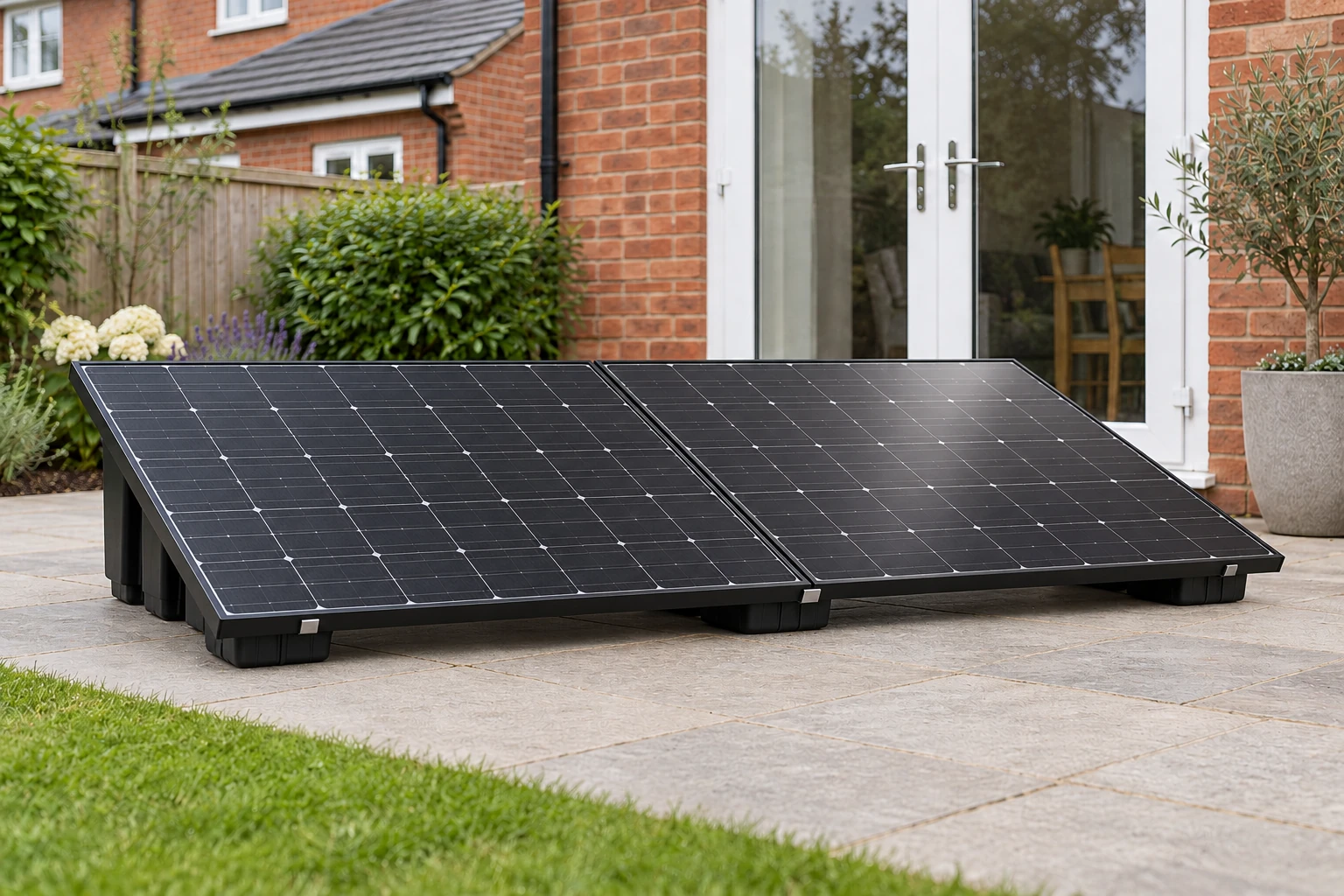
Check that the panel frame is retained by the clamps, fasteners are tightened to the supplied specification and the supports cannot rock or slide. For Dual, repeat the frame checks for both panels.
Check: Route cables away from sharp edges, pinch points and walkways. Complete the checks below before connecting.
Place the supports on firm, level ground. Dual uses a shared centre support. Allow room for the complete panel arrangement and safe access around it; the support dimensions alone are not the kit footprint.
Measure the direct route to your outdoor socket before assembly. The supplied 5 m lead must reach without an extension cable.
Keep the panel supported until every clamp is secure. Never stand on the panel or lift it by its cables or junction box.
Single: 200 kg total across 2 supports.
Dual: 300 kg total across 3 supports.
Ballast is separate from the kit hardware. Bricks, paving slabs or securely contained gravel or sand can provide the weight. For installation help, contact plugin@aorosolar.co.uk.
This sequence is for ground installation. Exposed or elevated positions need a site assessment; a roof also needs its load capacity checked.
Keep the assembly instructions with your AORO manual. The ballast totals above exclude the weight of the panels, supports and inverter. The illustrations show placement; weigh the ballast rather than copying the number of pictured blocks.
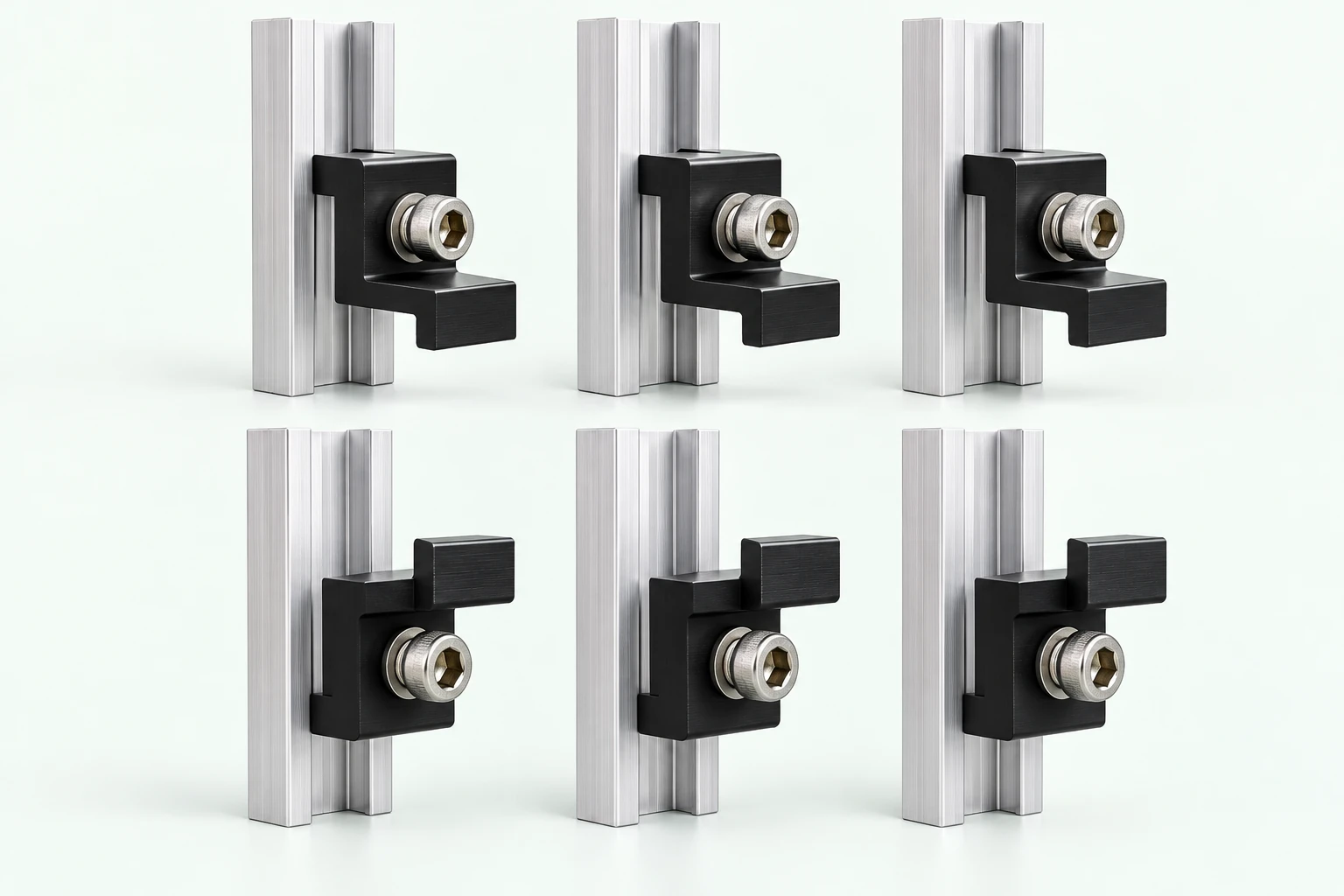
Use six mini-rail and clamp assemblies for each panel: three along the top frame and three along the bottom. Dual uses twelve assemblies.
Check: Mark the fixing positions for the selected panel and assessed wall using the supplied rail instructions. Check for concealed services before drilling.
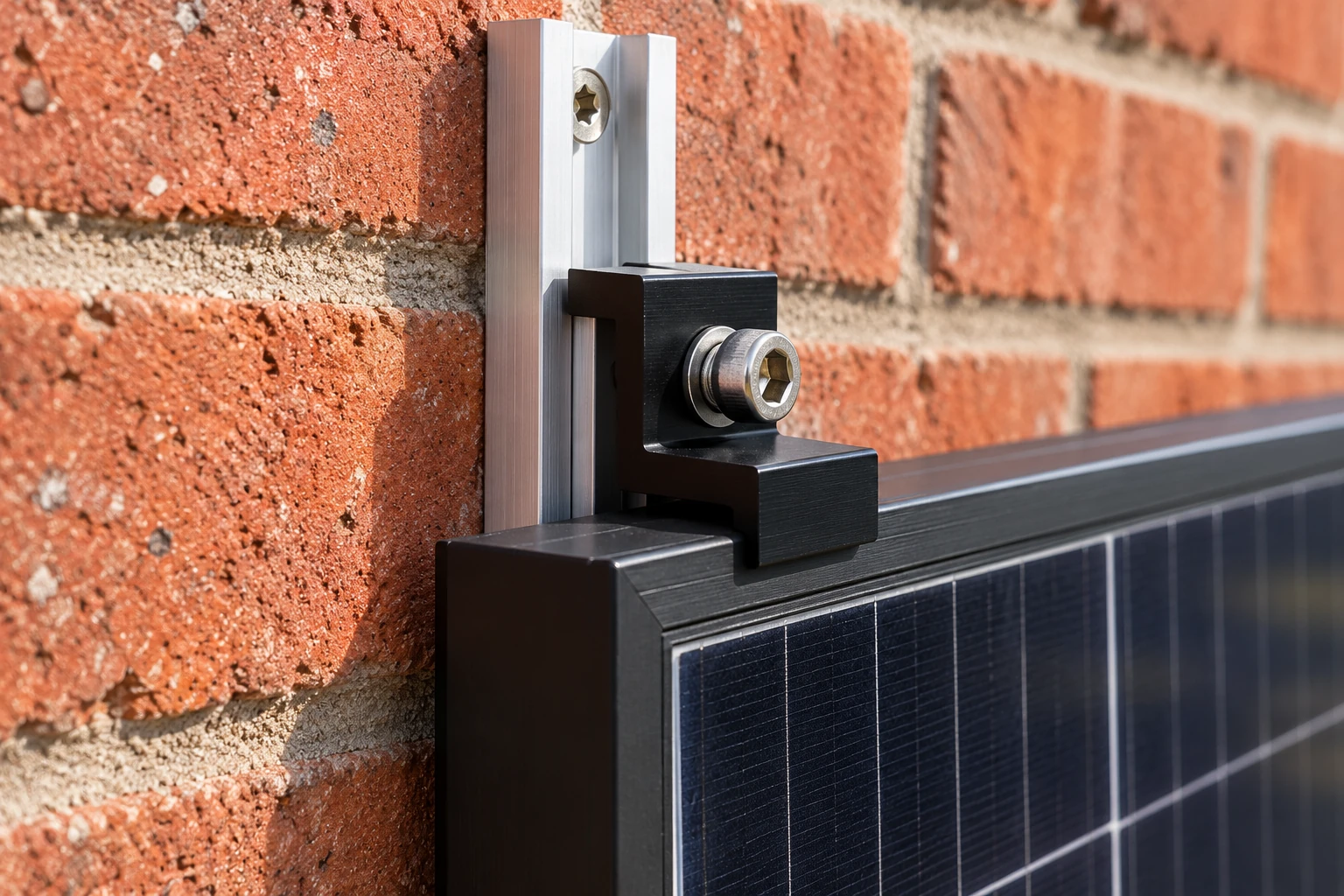
Fix the mini rails to suitable masonry with the specified anchors. With assistance, support the panel while fitting the sliding clamps over the metal frame. The wall-anchor screw and clamp bolt have separate jobs.
Check: The clamp lip must overlap the metal frame, never the glass. Use the required fixing and tightening specification; do not use the picture as a drilling template.
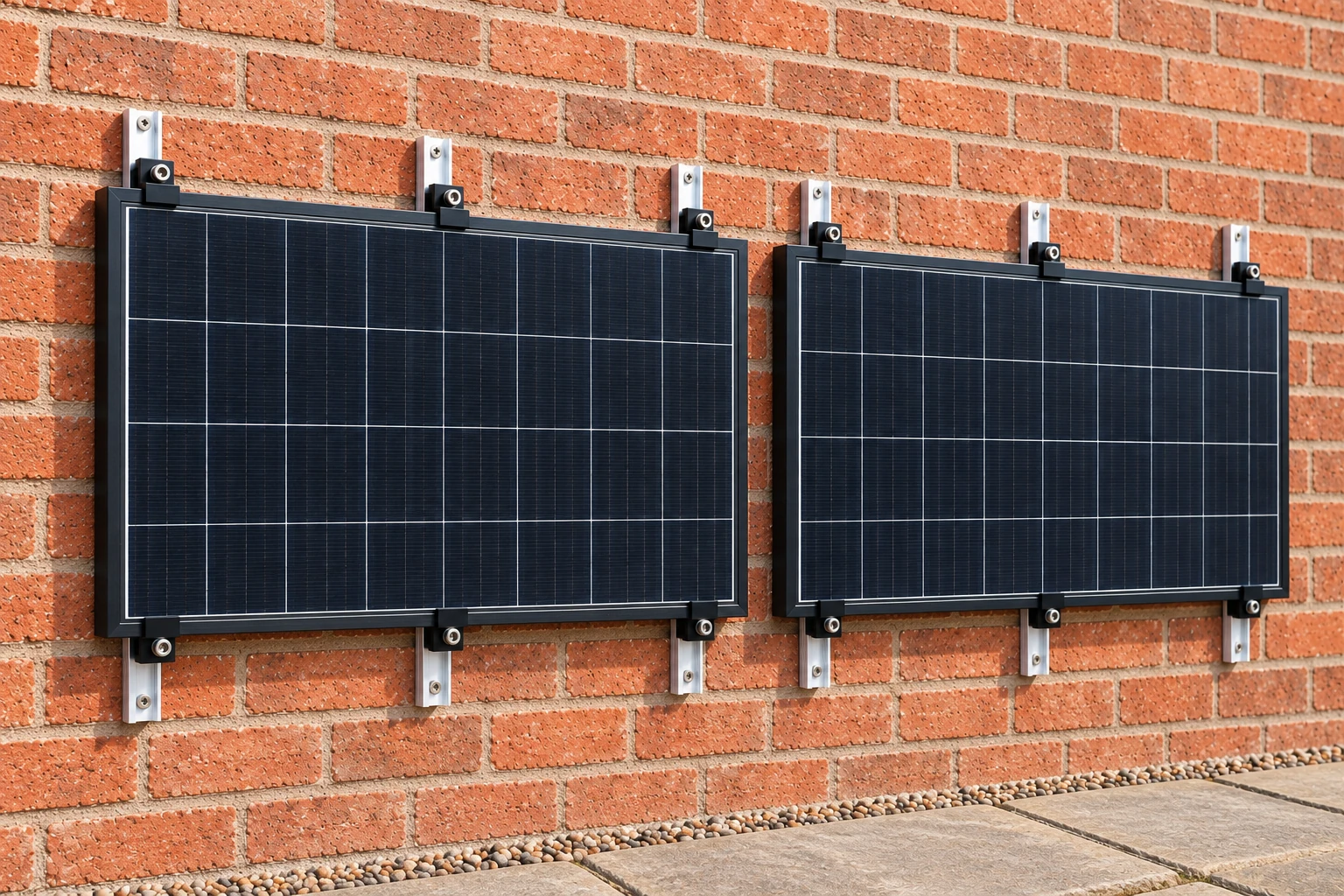
Check all three upper and all three lower retention points on each panel before releasing support. Keep the panel clear of doors and windows, and secure the cable route without trapping the leads.
Check: Six points for Single, twelve for Dual. A balcony railing, fence or timber wall is a different mounting system and is not covered by this wall guide.
Keep the kit disconnected while assembling. After the mounting checks, follow the connection instructions for your prepared kit.
Keep the mounting and connection instructions beside you as you assemble your kit. AORO manual · ground pp. 7–8 · wall pp. 9–10 ↓
1 panel · Ground mountThe panel sits above sloped supports. Ballast belongs inside the moulded compartments; the rails and clamps retain the panel frame.
Space allowance follows the larger length in the supplier drawing. Include the panel, rail ends and access space when measuring the complete kit.
Ground mount assembly reference → Choose this kit & mount →A firm, level position, handling help and 100 kg of ballast per support: 200 kg for Single or 300 kg for Dual. Ballast is separate from the kit. Weigh it; the pictured blocks illustrate placement.
Rails bridge the supports; end clamps retain the outside panel edges. A Dual arrangement also needs the specified shared centre attachment. Follow the rail, clamp and panel-frame instructions.
A tub's dimensions are not the installed kit footprint. Allow for panel overhang, rail ends, gaps and safe access. This ground selection does not authorise a roof installation.
Three at the top and three at the bottom. Single uses six; Dual uses twelve. The diagram explains the arrangement and is not a drilling template.
Use assessed solid masonry and anchors suited to its construction and the applied load. A wooden fence, timber wall or balcony rail is not this mounting option.
Mark positions from the supplied mini-rail, clamp and panel instructions. Check edge distances, concealed services, installation access and property permissions before drilling.
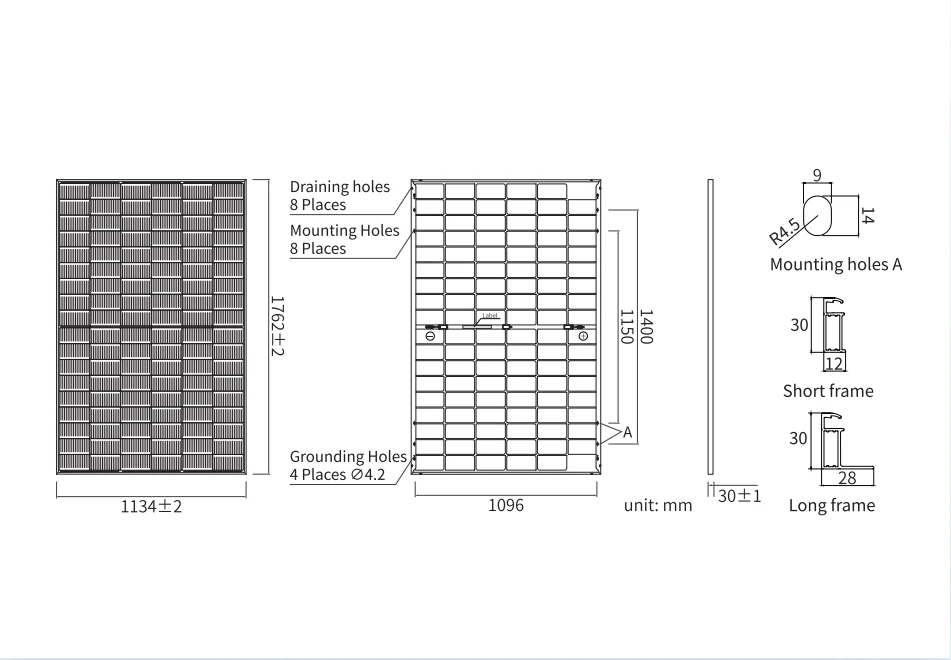
1762 × 1134 × 30 mm · 22 kg each
This drawing gives the panel dimensions and frame details. To measure the installed space, include the full panel, assembled supports, rail ends and the required access clearances. For wall fixing positions, use the mini-rail instructions; the panel frame holes are not a wall drilling template.
Download panel datasheet ↓The supplied 5 m UK 3-pin lead connects the prepared kit directly to a suitable weatherproof outdoor socket. Mount securely first, check the socket and circuit protection, then follow the supplied kit sequence. Electrical alterations and repairs are separate from plugging in the prepared kit.

Use the supplied 5 m UK 3-pin lead directly in a suitable weatherproof outdoor socket. No cable reel, extension lead, multiway adapter or plug-in RCD adapter.
Check the house installation and circuit protection before purchase or use. Socket installation, protection upgrades, rewiring and repairs require a qualified electrician. Those are separate from connecting the prepared kit through its plug.
Check socket and RCD guidance ↗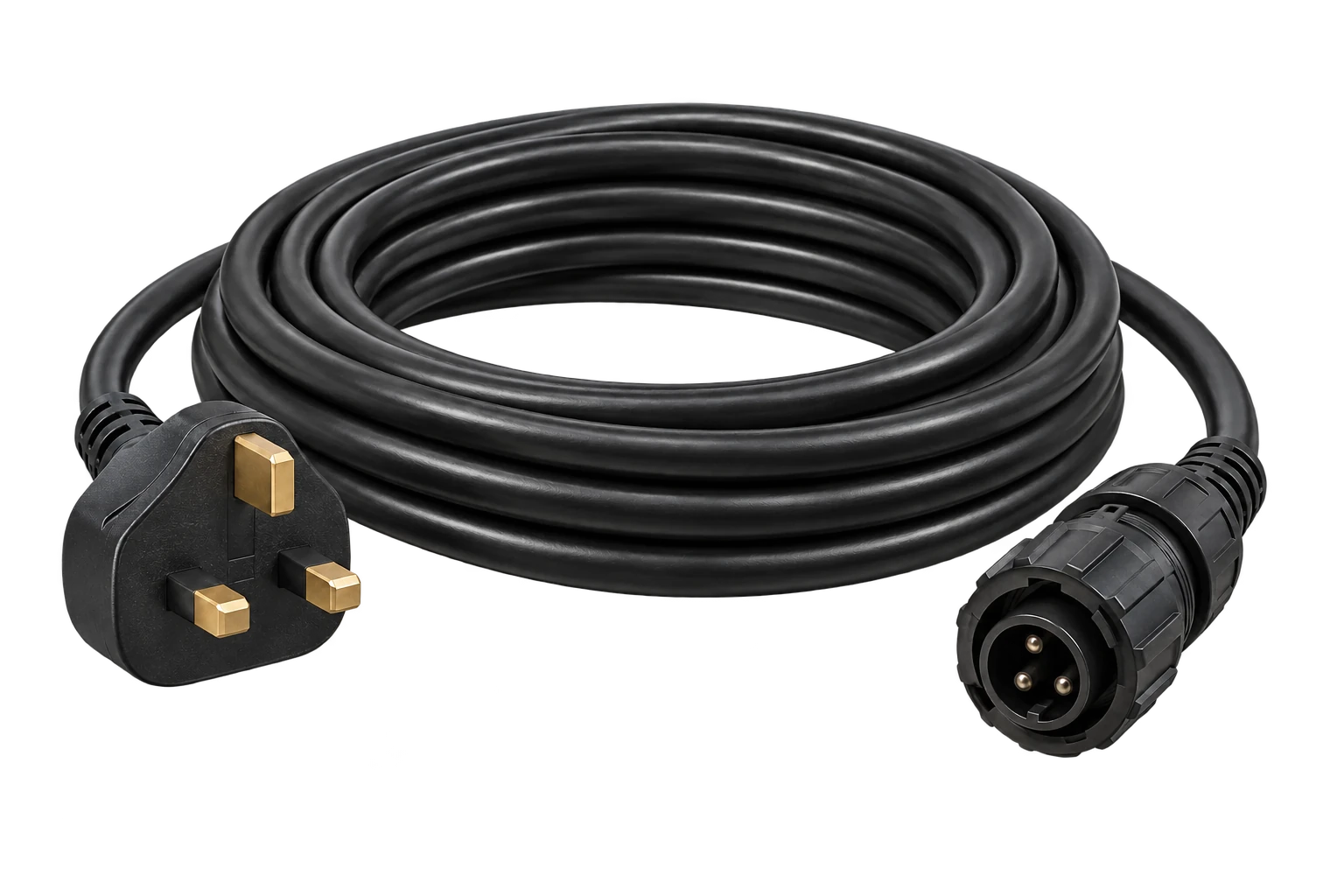
Get FoxCloud 2.0 from the App Store or Google Play, using the links or QR code in the manufacturer guide.
Choose Register, your region and language, review the app terms and select Owner. The app creates a home plant for your account; add your device there.
Open Me → WLAN Configuration. Select the detected device, choose Connect Network, select your 2.4 GHz Wi-Fi and enter its password privately. Follow Next, then Finish after connection.
The microinverter plant and module views show power and energy. W measures power now; kWh measures energy over time. Generation alone does not measure your bill saving.
Choose the symptom for the next useful check. Observe indicators only where safely accessible; do not disconnect PV connectors or open the inverter.
Use a 2.4 GHz Wi-Fi network and try Me → WLAN Configuration. If the device belongs to another plant/account, contact AORO for account binding help. Never send your Wi-Fi or account password.
Check your router and internet connection. Record the last update time and any visible indicator. An offline app alone does not prove an electrical fault or zero generation.
The M-series manual describes green flashing during successful startup and steady green during normal operation. Check daylight and the app readings alongside the indicator.
Note the green/red flash sequence and app fault code, and send them with the inverter serial number and order reference. Do not change grid settings or attempt electrical repairs.
The inverter is powered from the panels. Record whether there is daylight, the app status and when the light was last visible. If it stays unlit in daylight, contact AORO; wiring checks belong to qualified service personnel.
Use the Energy Networks Association registration platform after receiving your kit. Have the installation address and the supplied device details ready. Device registration and an export-payment agreement are separate processes.
myplugin.solar is the UK registration platform operated by Energy Networks Association. It can send your plug-in solar notification to the network operator after you submit your registration.
Open UK device registration ↗Use the one-time code sent to your email address.
Enter your postcode and select the installation address.
Match the assessed device listing to the kit you received. Keep the model and serial details available; do not choose a different device or another supplier’s code.
Check the details and retain the registration confirmation with your AORO manual. Export payments are arranged separately with your electricity supplier.
If your device is not listed, the platform advises checking again after a few days because assessment may still be in progress. Contact plugin@aorosolar.co.uk if you need help identifying your supplied equipment.
Keep the manuals and support details available. Inspect only where safe and accessible; do not open or modify electrical equipment.
Look for movement, damage and obstructions after severe weather. Follow the inspection frequency in the manual.
Changes in weather, shade and daylight can explain output changes. Use consistent time periods when comparing energy readings.
For an equipment fault, stop using the affected component where safe and provide its model and serial details to support.
For either kit, read the selected panel column: 460 W for JA Solar / AIKO, 500 W for DMEGC. Use the original panel and inverter datasheets alongside the Fox ESS operating, FoxCloud and UK warranty documents. Follow the assembly and connection instructions supplied with your exact kit.
One illustrated guide for Single and Dual kits: receiving your order, ground or wall mounting, the prepared connection, FoxCloud 2.0, indicator lights, care and troubleshooting.
Download the AORO manual Setup or product question? Email plugin@aorosolar.co.uk with your order reference.25-year AORO microinverter warranty. AORO provides a 25-year commercial warranty for the supplied Fox ESS M1-800-E microinverter. This AORO cover is separate from the manufacturer’s published limited warranty and your statutory rights. To start a claim, contact plugin@aorosolar.co.uk with your order reference, model and serial number.
DMEGC M10RT-B60: 25-year limited product and 30-year performance cover. Current policy DMW-STD02N-2026002 applies to manufacturer supply agreements from 1 June 2026; warranty starts at first installation or 6 months after factory departure, whichever is earlier. Keep your invoice and serial numbers. Read the original DMEGC warranty ↓
Compare the full Single Panel specifications →Use this overview to organise your setup. The exact kit manual takes priority. Tick each step as you complete it; use the print button to keep your checklist.
Download your AORO manual ↓0 of 8 steps checked
Compare the kits, read the specifications and choose the setup that fits your home.
Secure your energy independence. Reduce grid reliance by up to 70%.